My first artwork inventory was a spreadsheet. It held up for two years, and then it didn’t. A gallery asked me for the dimensions, year, and a good photo of four pieces, and I spent half a morning digging through three files and a folder of images to answer. I still got the show. But it was clear that this spreadsheet would cost me exactly that half morning on every request.
Why a spreadsheet feels right at first
Because it is sensible. A spreadsheet costs nothing extra, it’s already on your machine, and there’s nothing new to learn. One column for the title, one for the year, one for the dimensions, done. For your first twenty works that is precisely the right amount of effort, and nobody should set up dedicated software on day one.
The catch is that a spreadsheet doesn’t get expensive on an invoice. It gets expensive in time. And that bill only arrives once your body of work grows and you start talking about it with galleries, collectors, and insurers.
Where it costs you time later
The first thing is images. A spreadsheet is not a picture archive. Either you paste photos into cells and the file turns sluggish, or you link them and the links break the moment you rename a folder. Eventually the photo lives somewhere other than the data about it, and that photo is exactly what the gallery wants.
The second is version sprawl. At some point the file is called inventory_final_v3_NEW.xlsx, there’s a copy on the laptop and one in an email attachment, and you no longer know which is right. For the one list that represents your entire body of work, that is not a small annoyance.
The third you only notice when you need it: status. Which piece is on loan, which is sold, which is in the studio? You keep that column up to date at first, and after the third time a work moves, it’s wrong.
Then the small things that add up. Spreadsheets love turning “120 x 90” into a date. When a gallery wants a quick PDF of images, dimensions, and prices by tonight, it becomes an arts-and-crafts hour. And over all of it sits the backup question: one file on one machine, and if the drive dies, the overview of your work goes with it.
None of these costs you anything on the first day. They cost you on the day it matters, which is usually the day someone wants to buy or exhibit.
Your spreadsheet columns, and the fastest way to bring them along
If you keep your inventory in a spreadsheet, you probably have roughly these columns:
- work number (sequential, never changes)
- title, year, medium and materials
- dimensions as text: height x width x depth
- status: in studio, on loan, sold
- location, sale price, notes
- somewhere, the file name of the photo
That’s a good foundation, and you don’t have to throw it away to move. You upload that same sheet into Opus, and the import assistant reads the xlsx or csv and maps your columns to the right fields. Your spreadsheet stays where it is, as a backup. So you don’t start from zero, you bring everything you already have. I walk through it step by step here: import your artwork inventory.
Which fields per piece actually matter and which you can skip, I wrote up separately: how to keep an artwork inventory.
What you have after the import
Every piece has its images, its dimensions, and its status in one place. The work number assigns itself instead of you counting down a column. From that data, a loan form or a certificate is one click away, with nothing copied together by hand. It runs on your computer and your phone, and if one device dies, nothing is lost.
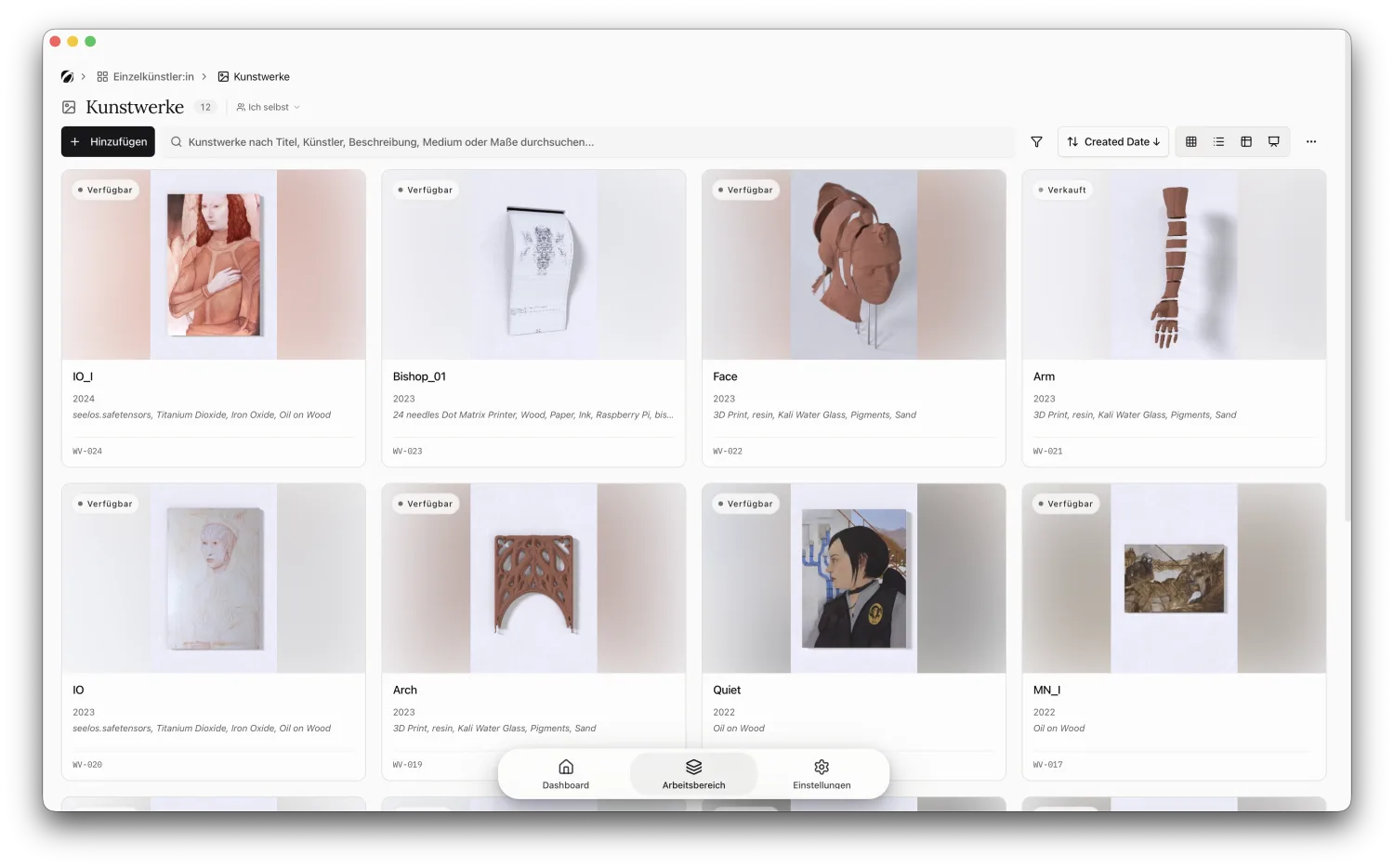
Starting costs nothing, and you don’t have to decide before you’ve seen it. Upload your list and look at what your inventory looks like with the images attached.
The real reason
Back to that gallery from the start. When the next request came, it didn’t take half an hour, it took two minutes, because the photo, dimensions, and status were simply there next to the work number. Those two minutes are the entire point. Not the bookkeeping, but the moment someone wants something from you and you can answer at once instead of searching.
If you want the art-historical background, the catalogue raisonné entry on Wikipedia explains where the idea comes from. For the studio, only one question counts: can you find any piece again in two minutes, with a photo? In a spreadsheet, my answer eventually became no. If yours is no too, bring your sheet to Opus and start for free — everything lands in the studio tools for artists, photo and all.